
MovieMaterial with alternativa3d 8
@david3jones

You can find a few examples of a MovieMaterial for version 5 and 7 of alternativa3d on their forums and wiki but I have yet to see one for version 8 so I thought I’d give it a go… You may recognise the swf from the alternativa3d bunker demo that was created in version 5
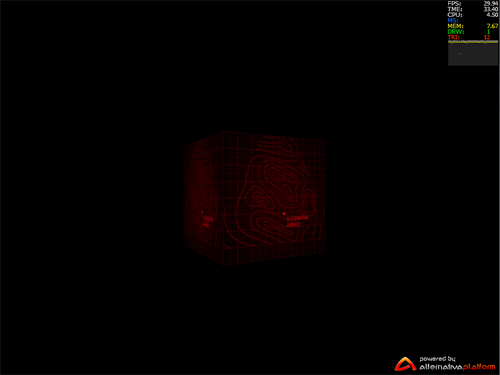 The usage is the same as most materials just pass in the movieclip and apply the material and the rest is done. Here is a snippet of the usage…
[Embed(source="screen.swf")] static private const TestSWF:Class;

mybox = new Box();
var mat:MovieMaterial = new MovieMaterial(new TestSWF());
mybox.setMaterialToAllSurfaces(mat);
scene.addChild(mybox);
uploadResources(mybox.getResources(true));
and here is the actual class.. it’s pretty similar to others except for the need to upload the new image resource as well.
package
{
    	import alternativa.engine3d.materials.TextureMaterial;
    	import alternativa.engine3d.resources.TextureResource;
    	import alternativa.engine3d.resources.BitmapTextureResource;
    	import alternativa.engine3d.core.Camera3D;
    	import alternativa.engine3d.objects.Surface;
    	import alternativa.engine3d.resources.Geometry;
    	import alternativa.engine3d.core.Light3D;
    	import flash.display.MovieClip;
    	import flash.display.BitmapData;
    	import flash.events.Event;

    	import alternativa.engine3d.alternativa3d;
    	use namespace alternativa3d;

    	public class MovieMaterial extends TextureMaterial
    	{
    		protected var mc:MovieClip;
    		protected var bd:BitmapData;

    		public function MovieMaterial(clip:MovieClip):void
    		{
    			mc = clip;
    			this.diffuseMap = getDiffuse();
    			this.alpha = 1;
    			super(diffuseMap,null,alpha);
    			mc.addEventListener(Event.ENTER_FRAME, updateTexture);
    		}

    		private function getDiffuse():TextureResource {
    			bd = new BitmapData (mc.width, mc.height, true);
    			return new BitmapTextureResource(bd);
    		}

    		protected function updateTexture(e:Event = null):void {
    			if(mc) { bd.draw(mc); }
    		}

    		override alternativa3d function collectDraws(camera:Camera3D, surface:Surface, geometry:Geometry, lights:Vector., lightsLength:int, objectRenderPriority:int = -1):void
    		{
    			if(diffuseMap) { diffuseMap.upload(camera.context3D); }
    			super.collectDraws(camera, surface, geometry, lights, lightsLength, objectRenderPriority);
    		}
    	}
}
Its not perfect I can see that it lights up white just before the swf starts playing. I’m guessing this is just the stage background colour of the embedded swf but i’m not 100% sure as I haven’t tested any other swfs. Its also worth noting that the bitmap data or swf still needs to be a power of 2 to be uploaded successfully. The example swf I used was 256x256. You can download the source files here or see the demo here
I forgot to ask something though… Do you think it would be faster if you had a bigger texture?
You could use a 2048x2048 (or less…) sized texture that could contain 64 256x256 images. If you needed more than 64 frames you would use a different texture containing the rest of the images. Then just move the UV data around. Correct?
I just wonder if setting a texture the size of 2048x2048 would be faster than just constantly uploading bitmapData.
Think you could test that out for me? :P
Hi, i was trying to use this code, but for some reasons… it fails to compile with following error:
Error: Incompatible override.
override alternativa3d function collectDraws(camera:Camera3D, surface:Surface, geometry:Geometry, lights:Vector., lightsLength:int, objectRenderPriority:int = -1):void
I’m using the 8.31.0 version of the ALTERNATIVA 3D.